Authenticate
You integrate the Jumio Platform with your organization’s website, application, or mobile app when you want to use Jumio’s identity verification technology to ensure that your customers are who they claim to be.
Before starting your integration, complete the Jumio Integration Prerequisites. Consult with your Jumio account representative for additional information and assistance.
Jumio Platform Integration Process
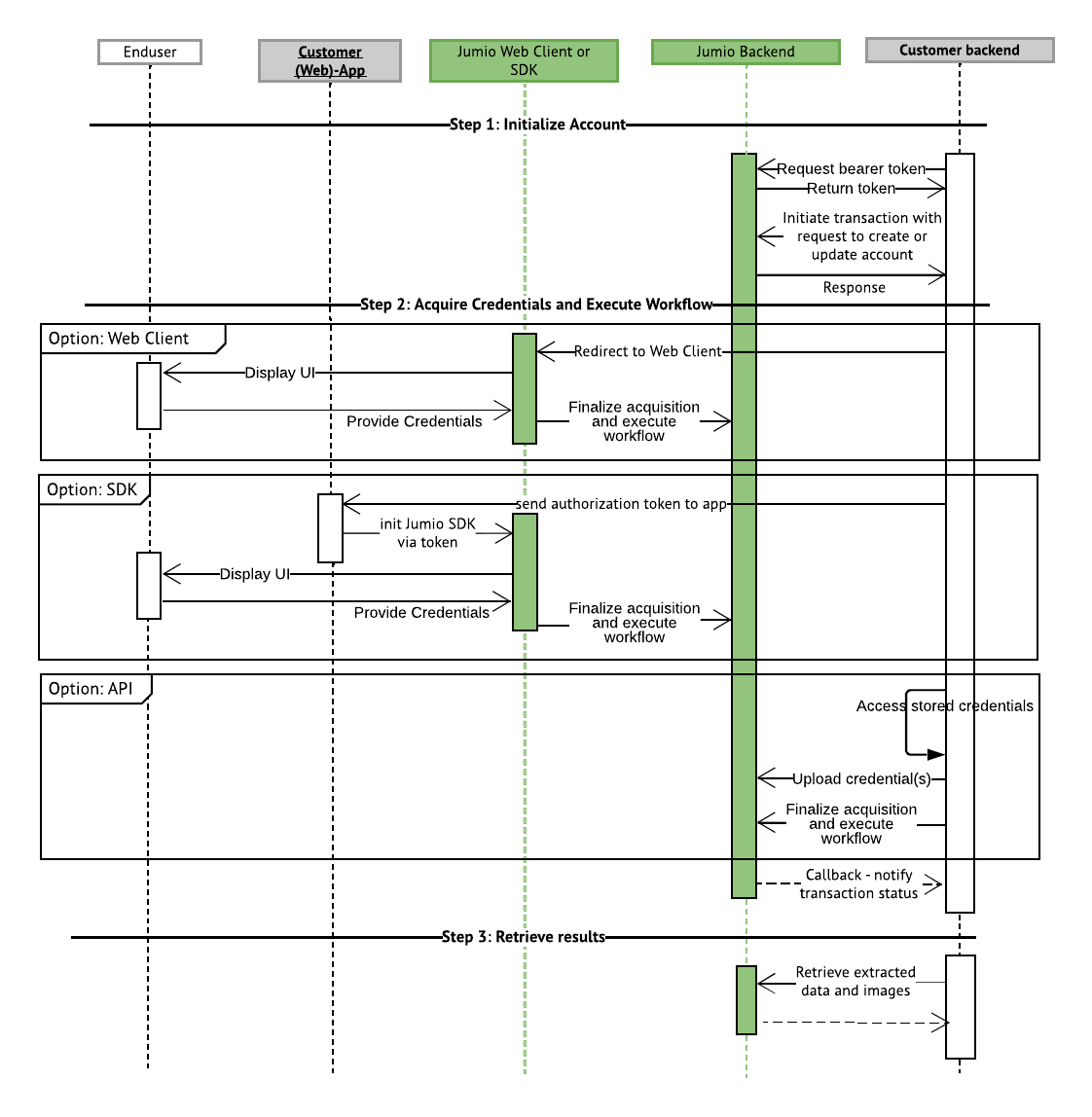
The Jumio Platform integration process outlines the steps required to securely connect your website, application, or mobile app with Jumio’s identity verification services. This process includes authenticating API requests, configuring user accounts, initiating verification workflows, acquiring credentials, and handling transaction updates.
By completing these steps, you enable your application to submit identity verification transactions to the Jumio Platform, track their status, and retrieve verification results in a secure and scalable manner.
Authenticate API Requests Using OAuth2
- Implement a service to obtain bearer tokens for authorizing API requests via the Jumio Endpoint or use the Java Client Library for automatic token management.
Enable Credential Acquisition
-
Enable credential upload and workflow initiation through the Jumio Web Client, Mobile SDKs, Java Client Library, and/or REST APIs, checkout Credential Acquisition.
-
Create or update user accounts using the Rest APIs, checkout this or the Java Client Library to initiate transactions.
Handle Callbacks and Retrieve Transactions
-
Set up a Callback service for handling status notifications about the transactions.
-
View or Retrieve workflow transaction.