Delete Transactions for Users Below a Certain Age
Depending on your organization's regulatory or compliance requirements, you may need to identify and delete transactions associated with users below a specified age threshold. Identify transactions that belong to users below specified age thresholds and permanently delete the associated personally identifiable information (PII). You can perform this process using either the Jumio APIs or the Jumio Portal.
Deletion Methods
- Automatically delete qualifying transactions using Jumio APIs.
- Manually identify and delete transactions via Jumio Portal.
1. Identify Qualifying Transactions
To determine whether a transaction qualifies for deletion based on your threshold(s), identify the user's age using one of the following fields returned by the Retrieval API:
The currentAge field is available in the Retrieval API response. This value represents the user's age at the time the transaction was processed. You may also use the dateOfBirth field to calculate the user's age according to your organization's deletion policy.
- extraction.data.dateOfBirth – Calculate the user's current age using the returned date of birth (yyyy-mm-dd). This method can be used for both current and historical transactions.
- extraction.data.currentAge – Use the age calculated when the transaction was processed. This field is only available if it is included in the Retrieval API response.
2. Deletion Methods
Once you have identified transactions that belong to users in relation to the applicable age threshold(s), you can delete them using either of the following methods.
2.1. Using Jumio APIs
Step 1: Retrieve the Transaction
Use the Retrieval API to retrieve the transaction details. From the extraction.data capability, obtain:
- extraction.data.dateOfBirth
- extraction.data.currentAge (if available) Example:
{
  "dateOfBirth": "2008-04-15",
  "currentAge": 16
}
Step 2: Determine Whether the Transaction Qualifies
Compare the user's age against your organization's age threshold(s).
- For transactions where the currentAge field is available, you can use it to determine whether the transaction meets your organization's age threshold.
- For historical transactions, use the dateOfBirth value to calculate the user's age, as older transactions may not contain the currentAge field. This helps ensure that transactions collected when the individual was below the applicable age threshold are identified for deletion.
Step 3: Delete the Transaction
If the transaction qualifies for deletion based on your threshold(s), use the Delete Transaction API using the transaction ID, as mentioned here.
Remember, using the Delete Transaction API permanently removes all the personally identifiable information (PII) associated with the transaction.
2.2. Using Jumio Portal
For one-time reviews or periodic cleanup, you can identify and delete transactions directly from the Jumio Portal. Follow these steps:
1. Generate Transaction Report
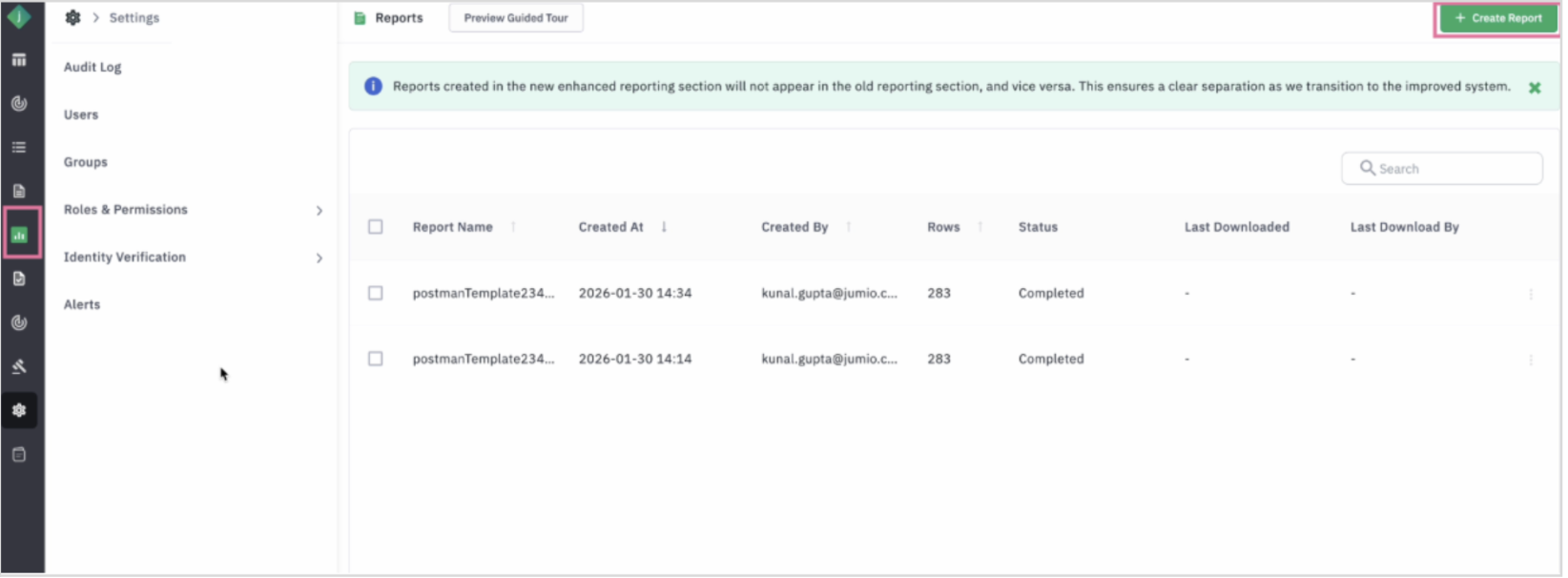
Step 1: Log in to the Jumio Portal and navigate to Reports and click on Create Report.
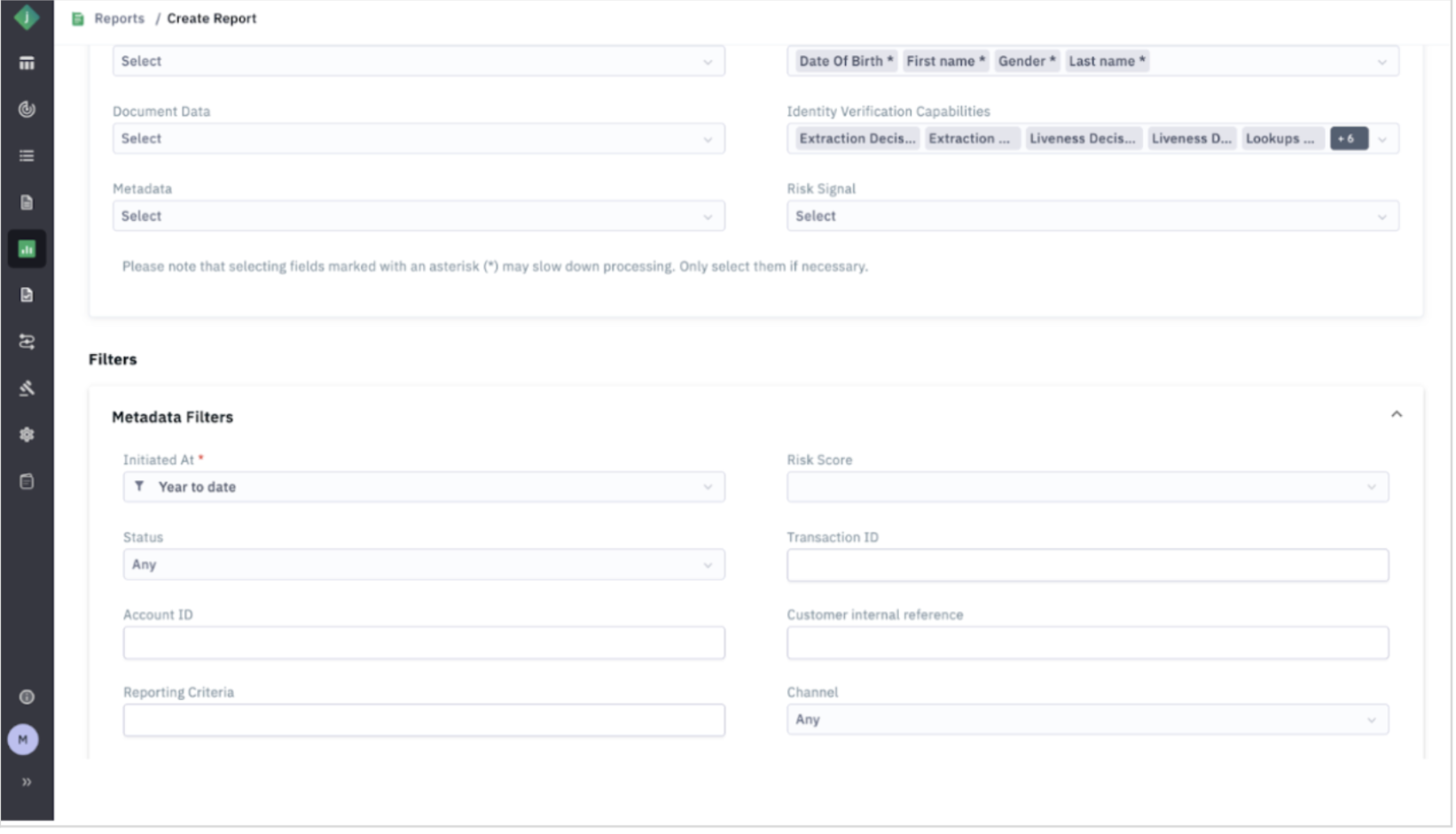
 Step 2: Configure the report by entering a report name, selecting the Date of Birth and Current Age fields (if available), specifying the desired date range, and applying any required filters. Then generate and download the report.
2. Identify Qualifying Transactions
Step 1: Review the downloaded reports.
Step 2: Use the Current Age field to identify users who were below your age threshold(s) when the transaction was processed.
Step 3: To determine a user's current age for historical transactions, calculate it using the Date of Birth field.
Step 4: Note the Transaction ID for each transaction that qualifies for deletion.
3. Delete Transaction
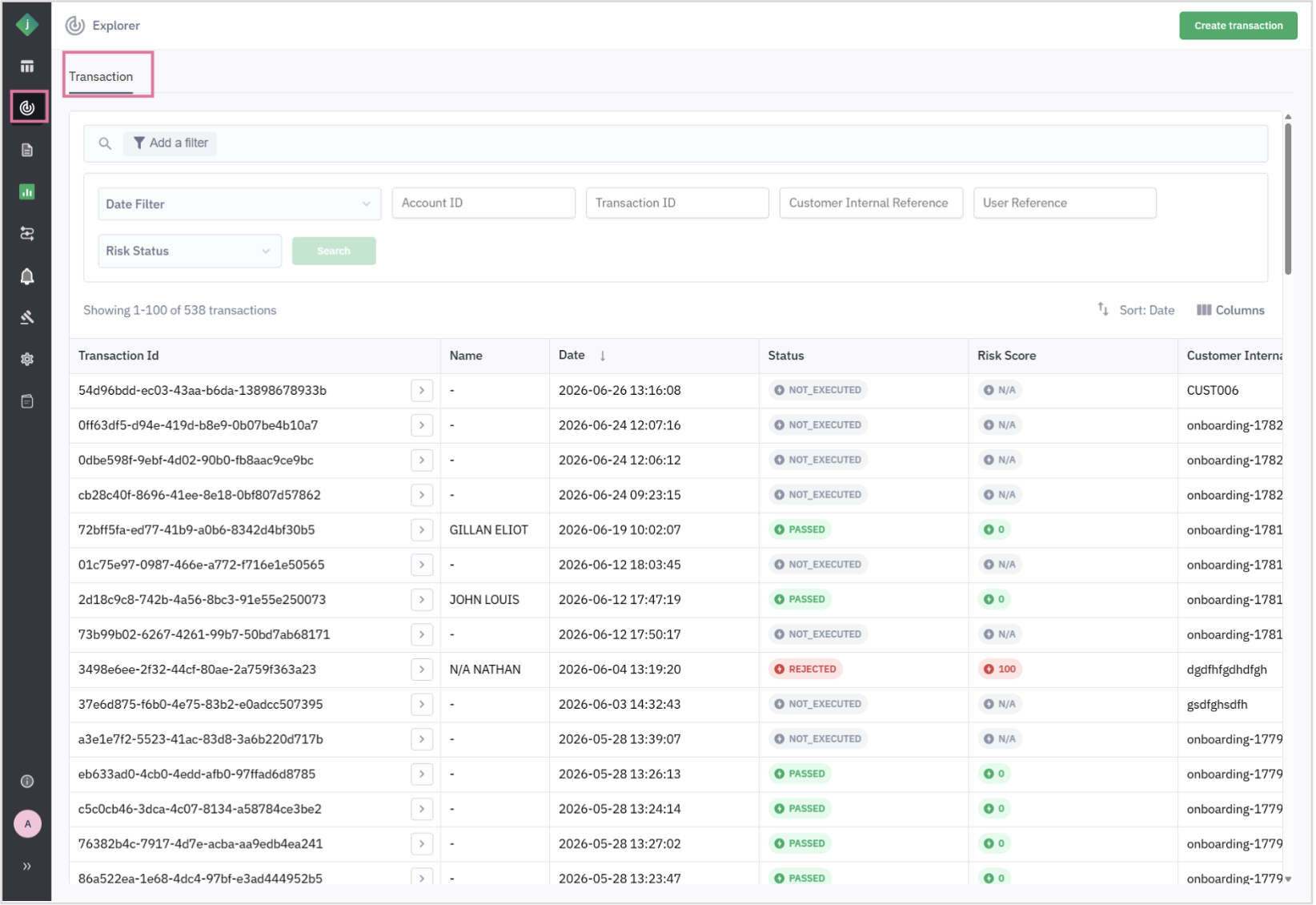
Step 1: Navigate to Explorer.
Step 2: Search for the transaction using the Transaction ID that was previously copied from the report.
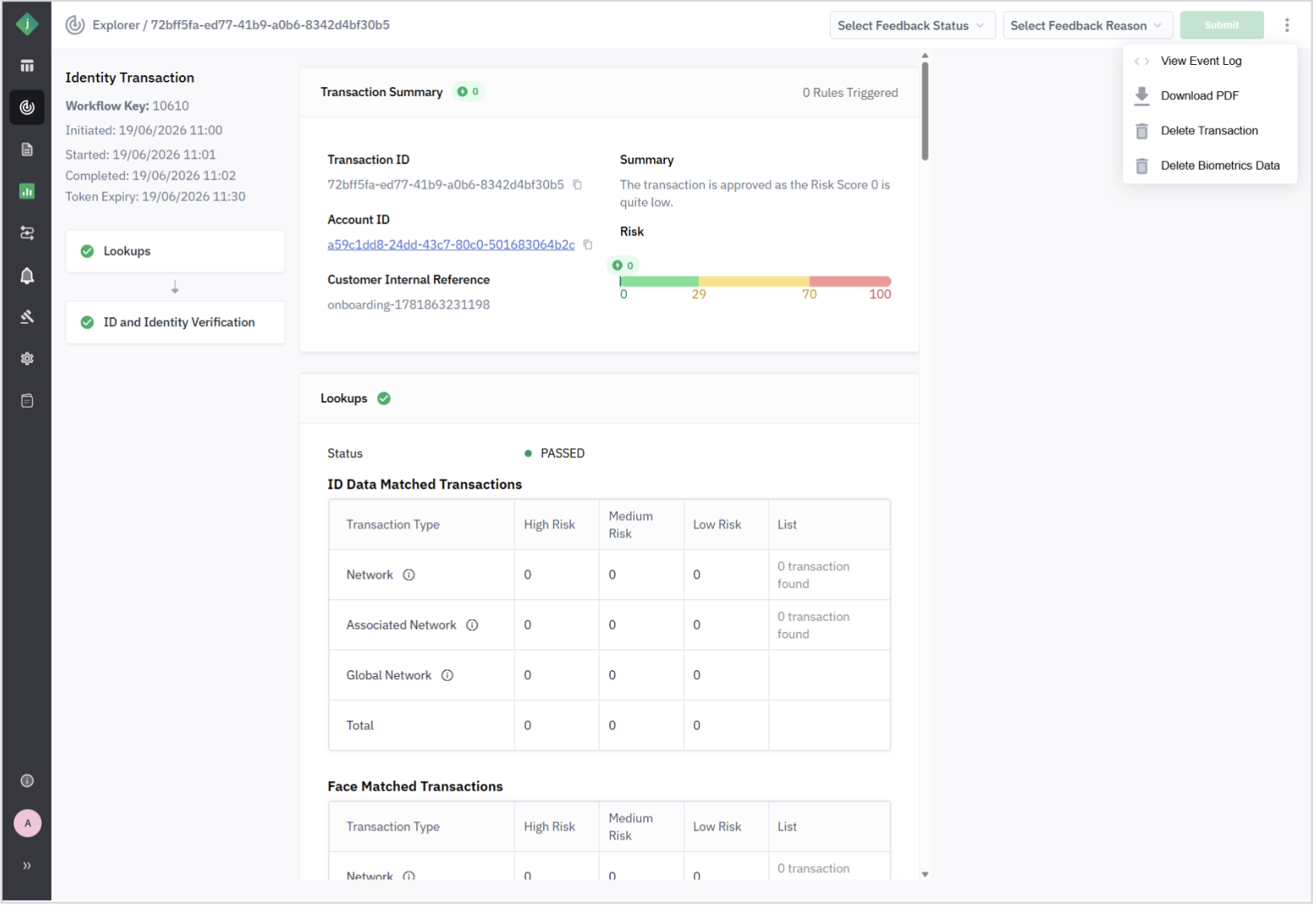
 Step 3: Open the transaction details. Click the More actions (⋮) menu in the upper-right corner.
Step 4: Select Delete Transaction and confirm the deletion.
Remember, the transaction's associated PII is permanently deleted.