End-User Consent to Collect Personal Data
End-user consent is required whenever Jumio collects or processes personal data as part of an Identity Verification workflow. This includes both government-issued ID documents and biometric data. Collecting consent ensures that the end user understands what personal data is being captured, why it is required, and how it will be used.
When Is End-User Consent Required?
By default, Jumio retrieves and acts as the data controller for end-user credentials used in Identity Verification services. Transactions that include collecting ID or biometric credentials, such as a Selfie or Facemap, require end-user consent prior to uploading the data.
If your integration implements the customer journey using the Web Client or the default SDK UIs, user consent management is built into the UI.
If your integration uses the mobile SDK with custom UIs, see the Consent Handling section of the integration guides for the Mobile SDK:
If your integration uses REST APIs to upload credentials, you are responsible for obtaining the end user's consent, as described below.
If you require access to the consent details for a transaction, see Retrieving Consent Details.
Incorporating Consent Language and Linking to Jumio’s Privacy Notice in Your UI
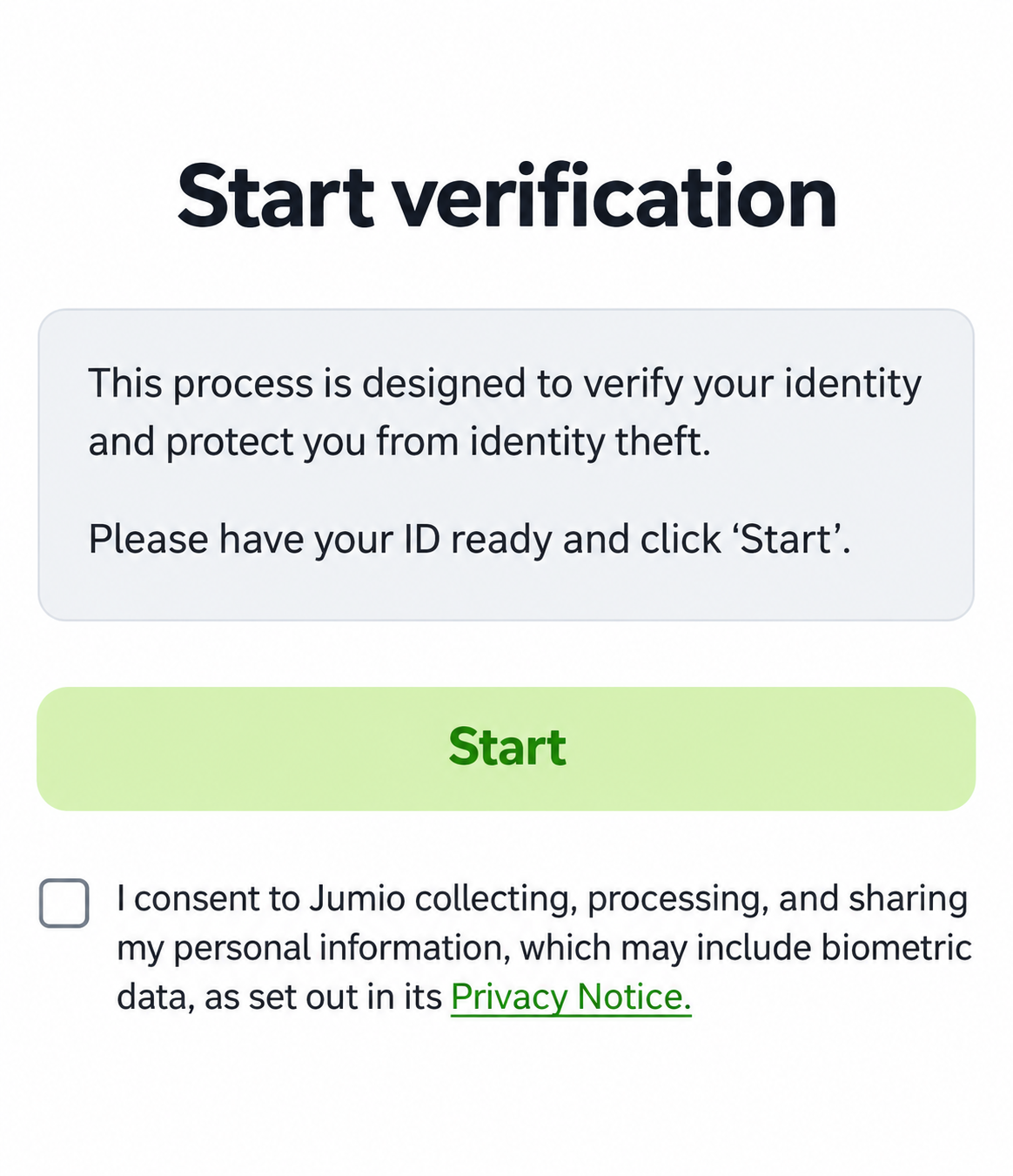
If you are using the API channel, you must incorporate explicit consent collection language and a link to Jumio’s Privacy Notice in your application, along with mechanisms for collecting the consent data (for example, checkboxes or buttons) prior to acquiring the end-user's credentials:
“I consent to Jumio collecting, processing, and sharing my personal information, which may include biometric data, as set out in its Privacy Notice.”
The Jumio Privacy Notice is at: https://www.jumio.com/legal-information/privacy-notices/online-services-notice/.
Example Screen Showing Consent Language
Populating the User Consent JSON
The user consent data must be added to the body of the Account creation or update request, as shown in the following example:
- JSON
- cURL
- Python
- Java
- PHP
- TypeScript
{
  "userConsent": {
    "userIp": "226.80.211.232",
    "userLocation": {
      "country": "USA",
      "state": "IL"
    },
    "consent": {
      "obtained": "yes",
      "obtainedAt": "2022-07-20T17:20:35.000Z"
    }
  }
}
--data '{
  "userConsent": {
    "userIp": "226.80.211.232",
    "userLocation": {
      "country": "USA",
      "state": "IL"
    },
    "consent": {
      "obtained": "yes",
      "obtainedAt": "2022-07-20T17:20:35.000Z"
    }
  }
}'
payload = {
    "userConsent": {
        "userIp": "226.80.211.232",
        "userLocation": {
            "country": "USA",
            "state": "IL"
        },
        "consent": {
            "obtained": "yes",
            "obtainedAt": "2022-07-20T17:20:35.000Z"
        }
    }
}
Map<String, Object> payload = Map.of(
    "userConsent", Map.of(
        "userIp", "226.80.211.232",
        "userLocation", Map.of(
            "country", "USA",
            "state", "IL"
        ),
        "consent", Map.of(
            "obtained", "yes",
            "obtainedAt", "2022-07-20T17:20:35.000Z"
        )
    )
);
$payload = [
    "userConsent" => [
        "userIp" => "226.80.211.232",
        "userLocation" => [
            "country" => "USA",
            "state" => "IL"
        ],
        "consent" => [
            "obtained" => "yes",
            "obtainedAt" => "2022-07-20T17:20:35.000Z"
        ]
    ]
];
const payload = {
  userConsent: {
    userIp: '226.80.211.232',
    userLocation: {
      country: 'USA',
      state: 'IL'
    },
    consent: {
      obtained: 'yes',
      obtainedAt: '2022-07-20T17:20:35.000Z'
    }
  }
};
If the credential is rejected you can add or update the userConsent object and re-submit using the Account Update API.
See also:
Processor
By default, Jumio acts as the data controller for end-user credentials. In certain cases, Jumio may act as the data processor. For more information about the definitions of data controller and data processor under the GDPR, see What is a data controller or a data processor?.
When biometric data is collected through the API channel from an end user located in the United States, consent language must be presented to the end user, even when Jumio acts as the data processor. You must also populate the userConsent object in the API request.
If the userConsent object is missing or consent has not been obtained, Jumio rejects the transaction during credential upload.
Explicit consent, such as requiring the end user to select a checkbox, is not mandatory. Implicit consent is also accepted. The following example shows how you can present the consent information to the end user. You may use your own consent language, provided it includes all the required elements.
By clicking “Start” you consent to Jumio collecting, processing, and sharing your personal information, which may include biometric data, pursuant to its Privacy Notice.
Retrieving Consent Details
By default details about if and when the end user consent was obtained are not provided in the Workflow Details. If you require access to the user consent details contact your Jumio Account Manager or Technical Support to enable retrieval for your tenant. Once it is enabled the data will be included in the workflow details response.
If enabled, the workflow details response will include:
- A consent JSON object for the transaction, including the UTC timestamp for when the consent was obtained:
"consent": {
    "obtained": "yes",
    "obtainedAt": "2022-11-28T23:50:40.136Z"
}
- A consent JSON object for each credential:
"consent": {
    "decisionAccepted": true,
    "collectedBy": "CUSTOMER"
}