Device Risk (Deprecated Version)
This topic is provided for customers using an outdated version of the Device Risk check offered prior to October, 2023. While you are encouraged to migrate to the updated version, Jumio will continue supported this version for the time being.
Device Risk provides an overall risk & reputation assessment of the device used to initiate a transaction. Device Risk looks at signals such as emulator and remote tool usage, rooted mobile devices, OS (Operating System) anomalies, use of VPNs (Virtual Private Networks), use of proxies, and IP (Internet Protocol) type. Device Risk is used to determine whether or not a fraudster is using GPS emulation, device rooting or VPN to trick your online identification workflow.
Device Intelligence identifies devices via cookies and device fingerprinting. Based on the data gathered, it can effectively flag suspicious devices (emulators / scripts) and sessions (proxies / VPNs / remote desktop), which are typically used to create synthetic accounts. In addition, with our Native App SDK, we can perform precise location (GPS), tampered app and rooted device detection.
Use Case
Identify suspicious behavior and/or activity by analyzing emulator and remote login usage, rooted mobile devices, OS anomalies, use of VPNs and proxies, and IP type. This is a fundamental risk check that assists in catching fraud faster. This risk check also saves on time and costs by assessing risk at the beginning of a transaction workflow.
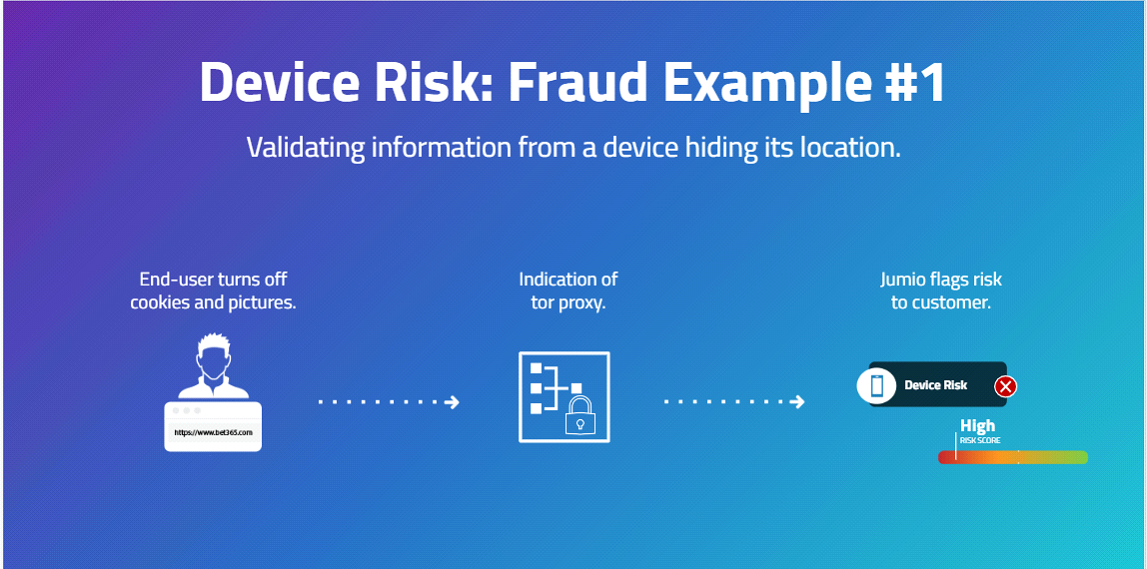
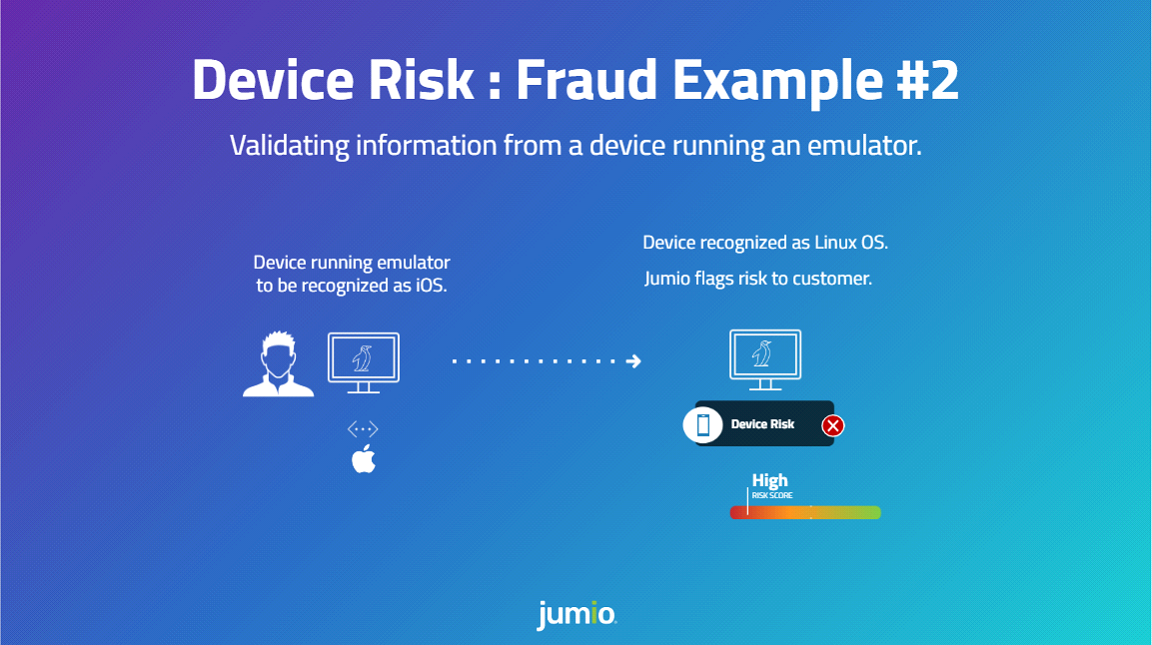
Common examples that indicate high risk devices are shown in the figures below.
Prerequisites
Additional prerequisites may be required depending on the integration channel(s) you use.
Web Client
The Jumio Web Client is pre-configured to support Device Risk. No additional integration work is required on your part.
Mobile SDK Channels
For SDK usage, please integrate the Jumio Device Risk library. Once included, the library will execute when used with a workflow that contains the device service. Please work with your support engineer to determine the appropriate workflow for your needs.
REST APIs
Prior to executing a workflow that includes Device Risk, a JavaScript SDK must be integrated with the client that is initiating the workflow. Consult with your support engineer for additional information.
The following table describes the Urls for JS SDK.
| Region | URL |
|---|---|
| US | https://{customer-subdomain}.web.amer-1.jumio.ai/device-fingerprint-web/0.3.0/index.js |
| SGP | https://{customer-subdomain}.web.apac-1.jumio.ai/device-fingerprint-web/0.3.0/index.js |
| EU | https://{customer-subdomain}.web.emea-1.jumio.ai/device-fingerprint-web/0.3.0/index.js |
The integration steps are as follows:
- Download script.
- Initiate sdk as:
acquireDeviceFingerprint({
    development: false,
    datacenter: 'eu',
    token: authorizationToken,
    logCallback: () => null,
})
- The function will return a Promise that gets resolved once the device fingerprint was generated and sent.
Required Credentials
If your integration uses the Web Client or the Mobile SDKs, the required data is uploaded for you. If you are integrating via the REST APIs, consult with your solution engineer.
Prepared Data
| Key | Type | Mandatory | Description |
|---|---|---|---|
| Session | string | Yes | Unique session ID generated while fingerprinting |
Response
Response data is available for transactions that include the risk signal. For information on transaction data see View or Retrieve Workflow Transactions.
Response Structure
"deviceRiskVerification": [
            {
                "id": "a66cbedc-816f-4be8-8aad-574cf9c935fe",
                "credentials": [
                    {
                        "id": "91d6bf21-74f4-4f1b-bb5c-28de3670bafb",
                        "category": "DATA"
                    }
                ],
                "decision": {
                    "type": "PASSED",
                    "details": {
                        "label": "LOW_RISK"
                    }
                },
                "data": {
                    "remoteSoftwareUsed": false,
                    "emulatorUsed": false,
                    "suspectedProxyUsedRisk": "low",
                    "suspectedOSAnomalyRisk": "low",
                    "suspectedVPNUsedRisk": "low",
                    "deviceOS": "Windows",
                    "browser": "Chrome",
                    "ipType": "Fixed Line ISP",
                    "sessionIPCount": 1,
                    "trueIP": "73.92.174.212"
                }
            }
        ]
Decision Details Labels
| Decision Type | Label | Description |
|---|---|---|
| PASSED | LOW_RISK | The request has been successfully validated with low risk. |
| REJECTED | HIGH_RISK | The request has been denied due to high risk. |
| WARNING | MEDIUM_RISK | The request carries some risk but is not rejected outright. |
| NOT_EXECUTED | PERMISSION_DENIED | The request was not executed due to insufficient permissions. |
| NOT_EXECUTED | DATA_NOT_FOUND | The required data could not be found for processing. |
| NOT_EXECUTED | BAD_REQUEST | The request was malformed or missing required fields. |
| NOT_EXECUTED | TECHNICAL_ERROR | A system error prevented execution of the request. |
Data
| Key | Type | Description |
|---|---|---|
| remoteSoftwareUsed | boolean | true/false |
| emulatorUse | boolean | true/false |
| suspectedProxyUsedRisk | string | high/medium/low |
| suspectedOSAnomalyRisk | string | high/medium/low |
| suspectedVPNUsedRisk | string | high/medium/low |
| rootedMobileDeviceUsed* | boolean | true/false |
| suspectedRemoteSessionRisk* | string | high/medium/low |
| deviceOS | string | For Web: UserAgent header, e.g., "iOS", "Mac OS X", "Android", "Windows", or "Linux". For mobile SDKs: constant "Android" or "iOS". |
| browser | string | Detected browser, e.g., Chrome Mobile, Chrome, Mobile Safari, Firefox, Safari. |
| ipType | string | "Commercial", "Government", "Military", "Education", "Library", "Fixed Line ISP", "Mobile ISP", "Data Center", "Fixed Line ISP / Mobile ISP", "Unknown". |
Available only in SDK installation.
Portal View
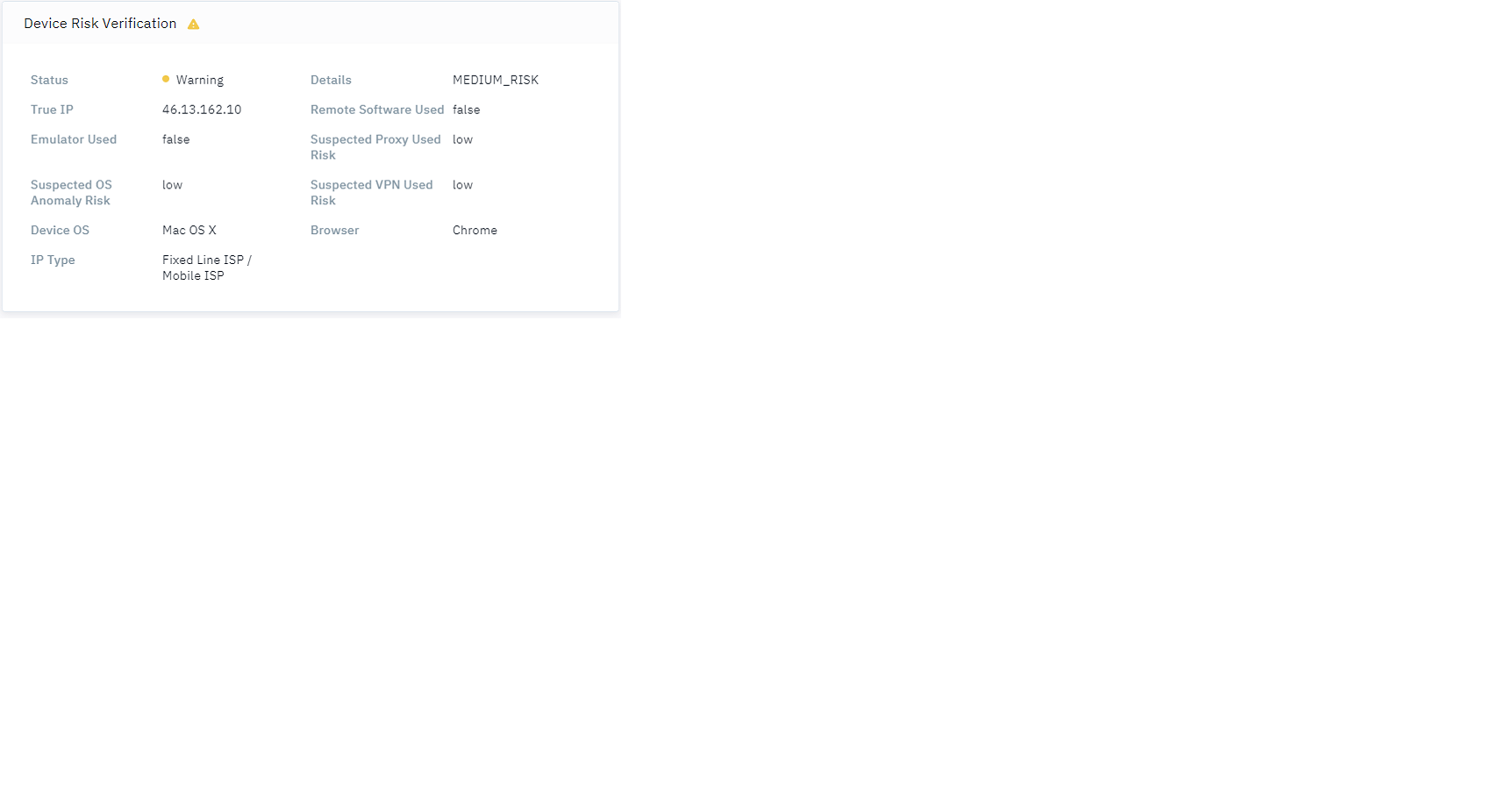
Open a transaction in the Portal to review the response. The risk signal is labeled Device Risk Verification as shown in the figure below.
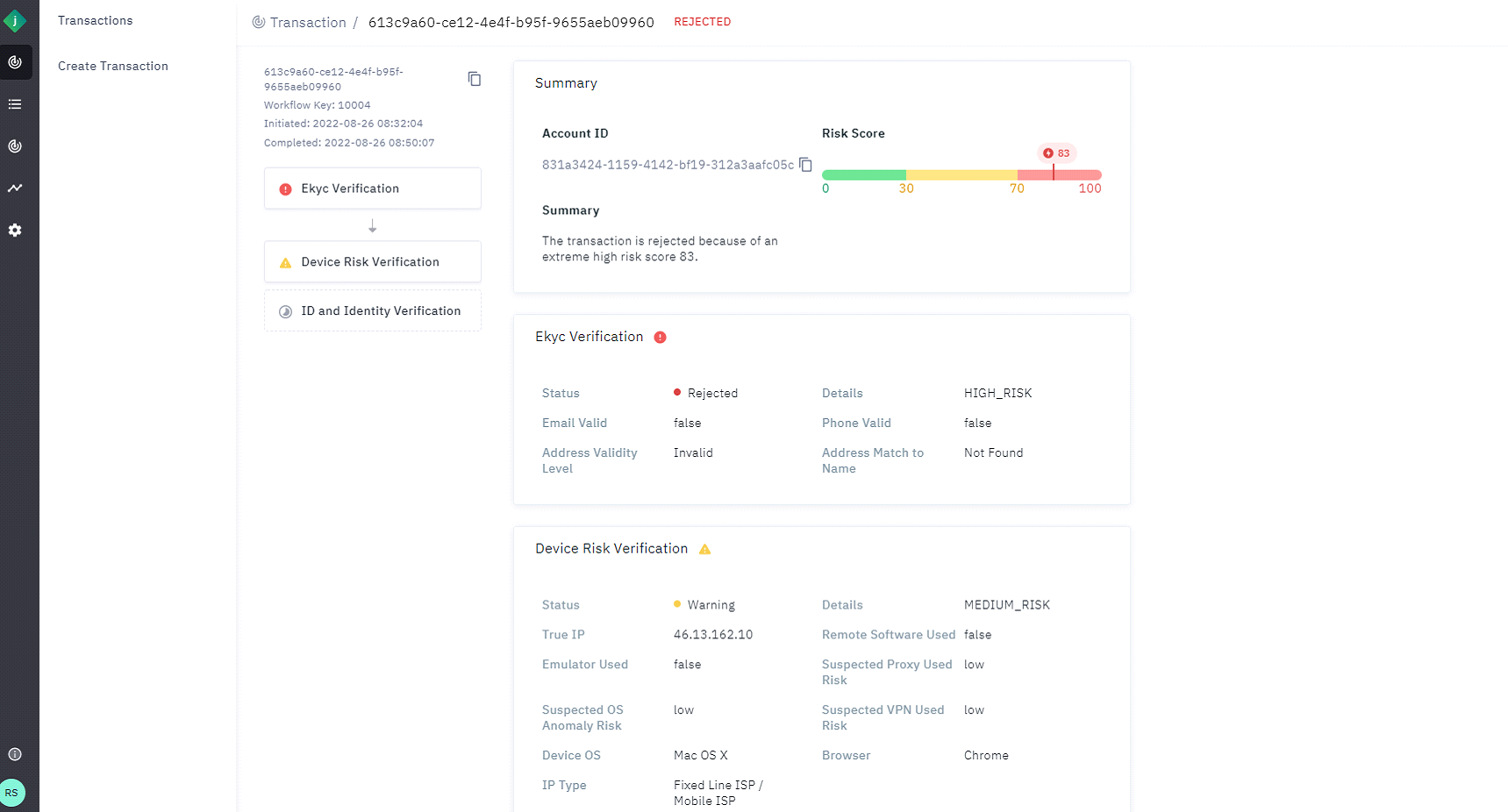 The response details appear as shown in the screenshot below.